Download the bd22 App
Play Anywhere on Android
The bd22 App puts slots, live casino tables, crash games and sports all in one place. Free to download, works on Android 7.0 and above, and connects directly to bKash and Nagad for deposits and withdrawals. No browser needed.
After downloading, you'll need to allow installation from unknown sources. See step-by-step guide below.
| Version | 2.6.12 |
| File Name | bd22.apk |
| File Size | 52 MB |
| Platform | Android 7.0+ |
| Last Updated | 10 Nov 2026 |
| Price | Free |
| Languages | English / Bangla |
No Hidden Permissions
The bd22 App requests only the permissions it needs: internet access for gameplay, storage access to save the APK during install, and notification permission (optional) for deposit alerts and match reminders. It does not request access to your contacts, camera, microphone or SMS. You can review all permissions in Settings → Apps → bd22 at any time and revoke any that aren't essential for your use.
Encrypted Connections
All traffic between the app and bd22 servers runs over HTTPS with TLS encryption. Your login credentials, payment details and account data are never sent as plain text. The app does not store your bKash or Nagad PIN locally — payment confirmation always routes through your mobile banking app. If you share a device, use the in-app auto-logout feature after each session to protect your balance.
Keep the App Updated
Because bd22 distributes its APK directly, Android won't auto-update it. When a new version is available, you'll see a banner inside the app. Tap it, download the new APK from bd22.team/bd22-app/ and install over the existing app — your account and history stay intact. Version 2.6.12 (current) includes faster lobby loading and improved bKash deposit flow. Always download from this page, not third-party APK mirrors.
Account Security on Mobile
Your bd22 account uses the same password and two-step phone verification on the app as on the website. If you lose your phone, you can lock your account immediately by logging in from any browser and going to Account → Security → Suspend Session. Never share your OTP with anyone — bd22 customer support will never ask for it. For extra protection, set a strong password that you don't use on any other site.
-
1
Allow Unknown Sources
Open Settings → Apps & Notifications → Special App Access → Install Unknown Apps. Find your browser (Chrome or Firefox) and tap Allow from this source. On older Android versions (7–8), this setting is at Settings → Security → Unknown Sources. You only need to do this once. After the bd22 App is installed, you can turn it back off if you prefer.
-
2
Download the APK
Tap the Download APK button on this page. Your browser will save bd22.apk (52 MB) to your Downloads folder. If your carrier's network is slow, connect to Wi-Fi first — the download is a one-time 52 MB file and won't cost you in-game data. Do not download bd22 APK files from any other website; unofficial mirrors may contain modified code.
-
3
Open the File & Install
Pull down your notification shade and tap the completed download notification, or open your Files app, go to Downloads and tap bd22.apk. Android will show an install screen listing the app's permissions. Tap Install. The process takes about 15 seconds. If you see a "Play Protect" warning, tap Install Anyway — this is a standard Google prompt for all sideloaded APKs, not a sign of a virus.
-
4
Open the bd22 App & Log In
Tap Open on the install confirmation screen, or find the bd22 icon in your app drawer. If you already have an account, enter your phone number and password, then confirm with the OTP sent to your registered number. The app will sync your wallet balance, bonus status and game history automatically within a few seconds of logging in. Already a member? Go straight to bd22 Login.
-
5
Register & Make Your First Deposit
New player? Tap Register on the app's welcome screen. Fill in your phone number, set a password and verify with the OTP. After registration, go to Wallet → Deposit, pick bKash or Nagad, and enter ৳200 or more to activate your first-deposit bonus. The deposit posts to your balance within 1 minute. See the Registration guide if you get stuck on any step.
iOS Users: Add to Home Screen
There is no native iOS app for bd22 yet. The mobile website works well on Safari and Chrome for iPhone. Add it to your home screen for a near-app experience:
- Open Safari and visit bd22.team.
- Tap the Share icon (box with arrow) at the bottom of the screen.
- Scroll down the share sheet and tap Add to Home Screen.
- Give it a name (e.g., "bd22") and tap Add in the top-right corner.
- The bd22 icon now appears on your home screen. Tap it to open in full-screen mode without the Safari toolbar.
| Requirement | Minimum | Recommended |
|---|---|---|
| Android Version | 7.0 Nougat | 10.0 or later |
| Free Storage | 80 MB | 200 MB |
| RAM | 2 GB | 3 GB or more |
| Internet Connection | 3G / 1 Mbps | 4G / LTE or Wi-Fi |
| Screen Resolution | 720 × 1280 px | 1080 × 2340 px |
| Root Required | No | No |
| Google Play Services | Not required | Not required |
Devices below the minimum spec may experience slow loading in live casino streams. Live dealer games require a stable 4G connection for smooth video.
- Full game library: Over 3,300 games including slots, live casino, crash, fishing and card games — all load within the app without opening a browser.
- Instant bKash & Nagad deposits: Deposit as low as ৳200 and funds appear in your wallet within 1 minute. Withdrawals process in 22 minutes.
- Push notifications: Get alerts when your withdrawal is approved, when a reload bonus activates, or when a live match you're watching starts.
- VIP dashboard: Check your monthly turnover, cashback balance and tier status directly from the app's account menu without logging into a browser.
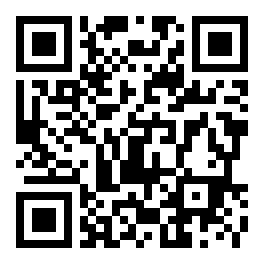
Scan the QR code with your Android phone's camera to open the download link directly.
| Feature | bd22 App | Mobile Browser |
|---|---|---|
| Full game library access | Yes | Yes |
| Push notifications | Yes | Limited (Safari on iOS only) |
| bKash / Nagad deposit | In-app redirect | Yes, via browser |
| Auto-login (saved session) | Yes | Clears on private mode |
| Offline game preloading | Partial (lobby cache) | No |
| Live dealer video quality | Optimised adaptive stream | Standard stream |
| VIP cashback dashboard | Dedicated screen | Account menu |
| Requires installation | Yes (APK sideload) | No |
| iOS support | Not available yet | Safari / Chrome |
| Storage used on device | ~80 MB after install | 0 MB |

Slot Games
Titles from PG Soft, Red Tiger and KA Gaming — including Fortune Dragon (RTP 97.4%), Circus Delight (97.1%) and Leprechaun Riches (97.3%). Minimum bet from ৳1 per spin. Touch controls are fully optimised for portrait mode; no pinch-zooming needed to hit the spin button.

Live Dealer Tables
Evolution and PG Soft live rooms stream in HD directly through the app. Play European Roulette Pro, Mini Baccarat and more with real dealers. The app auto-adjusts stream quality based on your connection — switching from HD to SD when signal drops so the game keeps running without buffering pauses.
Crash & Aviator
Spribe's crash games feel native on mobile — the multiplier curve fills the full screen in landscape mode and the cash-out button is large enough to tap quickly. Set an auto-cashout multiplier before the round starts so you don't miss your target while multitasking. Great for short sessions during a commute.
Fishing Games
Cat Fishing (KA Gaming, RTP 97.0%) and Fishing Disco (PG Soft, RTP 96.9%) are touch-screen favourites. Aim and shoot with a tap — the app's touch tracking is more accurate than clicking on a browser. Stakes run from ৳2 up to ৳5,000 per shot, so you can play casually or push for bigger fish.
Teen Patti & Callbreak
Teen Patti and Teen Patti Joker (Red Tiger) work perfectly on small screens with large card graphics and clear bet buttons. Callbreak Quick (Evolution) is especially popular during cricket season. Card values and hand rankings are always visible in a sidebar so you don't need to remember rules mid-game.
Keno & Lucky Bingo
Keno (Red Tiger, RTP 96.8%) lets you pick numbers and watch draws in real time — a relaxed game that works well on a slow connection. Lucky Bingo (PG Soft) auto-marks your card so you won't miss a number if you look away. Both run from ৳1 per ticket and suit players who want something low-stress between matches.
| Problem | Most Likely Cause | How to Fix It |
|---|---|---|
| "Install blocked" message | Unknown sources permission not enabled for the browser or file manager you used to open the APK. | Go to Settings → Special App Access → Install Unknown Apps, find the app you used to open the file (Chrome, Files, etc.) and toggle it on. Then tap the APK file again. |
| "Parse error" or "App not installed" | The APK download was interrupted or corrupted — file is incomplete. | Delete the partial file from your Downloads folder, reconnect to a stable 4G or Wi-Fi connection and download the full 52 MB again from this page. Do not resume a failed download. |
| App installs but crashes on open | Device runs Android 6 or below, which is below the minimum supported version (Android 7.0). | Check your Android version at Settings → About Phone → Android Version. If it's below 7.0, use the bd22 mobile website at bd22.team in Chrome instead — full functionality is available via browser. |
| Blank white screen after login | Low available RAM or background apps consuming memory, causing the game lobby to fail to load. | Close all background apps, clear the bd22 app cache (Settings → Apps → bd22 → Storage → Clear Cache), then reopen. If the problem persists, restart your phone before opening the app again. |
| Live casino video freezes constantly | Internet connection speed below 2 Mbps — common on crowded networks during evening hours. | Switch from mobile data to Wi-Fi if available. Inside the live game, tap the settings icon and set video quality to SD. SD streams use about 60% less data and stay stable on connections above 1 Mbps. |
Is the bd22 APK file safe to install on my phone?
Why can't I find bd22 on the Google Play Store?
My phone says the APK is harmful — should I be worried?
How do I update the bd22 App when a new version is released?
Can I use the same account on both the app and a browser at the same time?
Does the bd22 App work on a tablet?
What happens to my bonus if I switch from browser to the app?
Your data stays private. The bd22 App transmits all account and payment data over encrypted HTTPS connections. bd22 does not sell your personal information to third parties. Payment details entered during bKash or Nagad deposits are handled directly by those platforms — bd22 never stores your mobile banking PIN or OTP. For full details, read the Privacy Policy.